Email Aliases for Online Shopping
Email aliases for online shopping give every store its own address on a domain you own.
Order confirmations, delivery notices and refunds keep arriving. Marketing switches off one shop at a time.
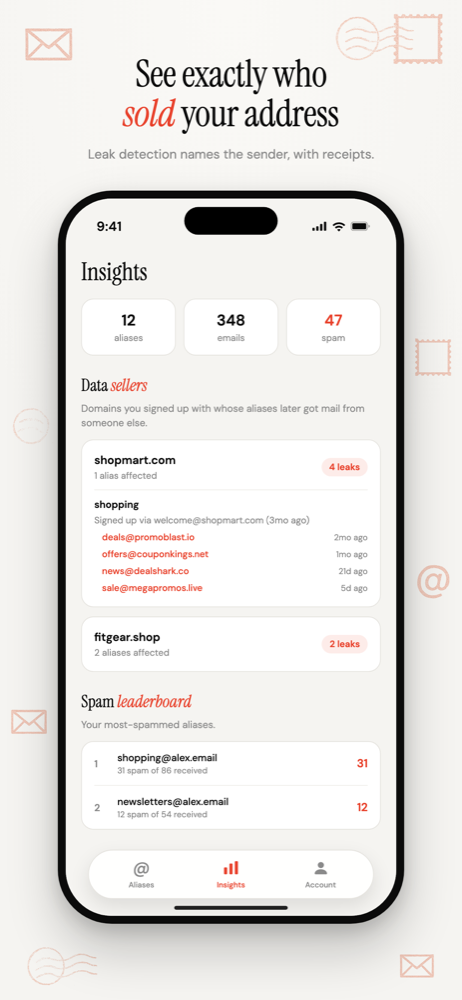
And when a shop passes your address on, you get an alert naming it.
Free software. You bring a domain you own, or register one during setup.
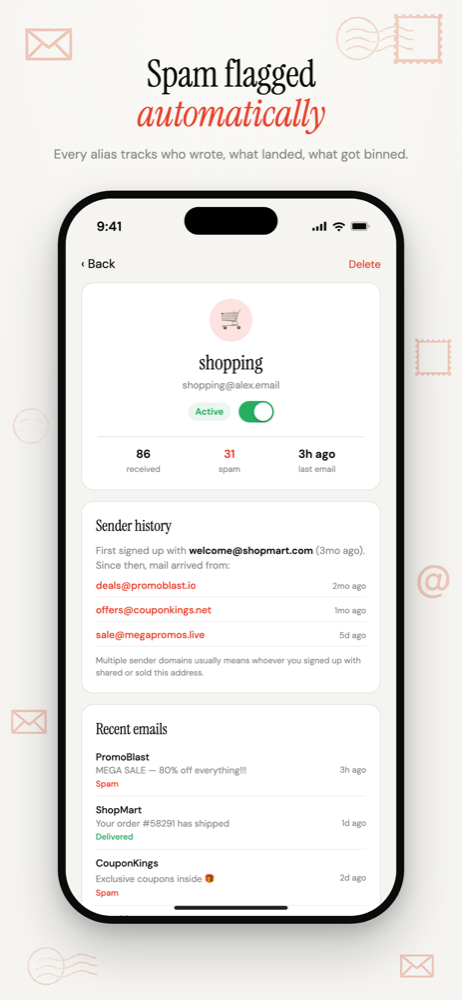
Why shopping is the place to start
Most people have accounts with dozens of shops, many made for a single order and never used again. Each one keeps your address for good.
Retail also shares addresses by design: loyalty schemes, receipt-by-email at the till, and "partner offers" boxes.
And you can't just abandon the address. Dispatch notices, refunds and recalls all need to reach you. That's where a throwaway address fails and a per-shop alias doesn't. Alias vs disposable email
The setup
- One address per shop, named after it:
ikea@yourdomain.com. Readable names make the list easy to scan later. - Use it for the account, not just checkout, so password resets and order history stay reachable.
- Guest checkout too. The receipt and tracking go to the alias.
- Untick the marketing box anyway. The alias is a backstop, not a reason to stop reading forms.
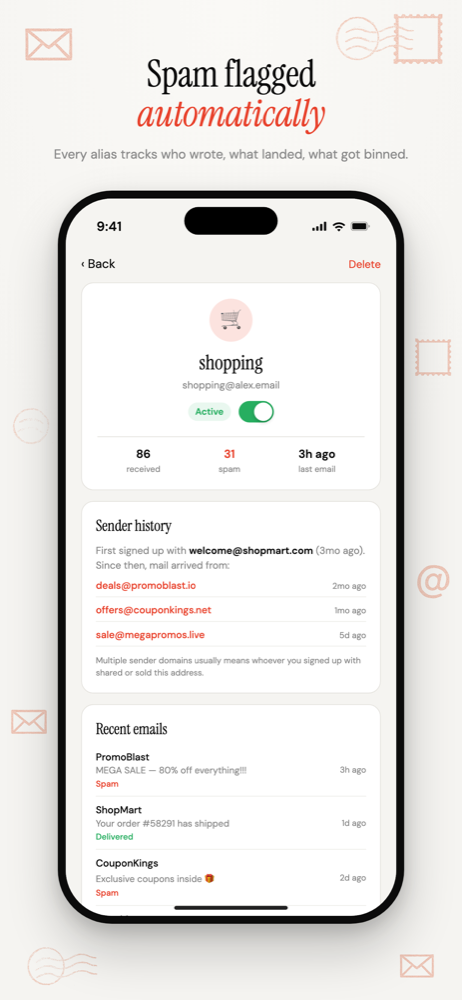
See which shops pass your address on
When a company you've never heard of emails gardencentre@yourdomain.com, exactly one shop was ever given that address. You get an alert naming it.
Over a year, the Data Sellers list builds a picture of which shops treat your address carefully and which don't.
One rule: never disable mid-order
Disable shops you're finished with, not shops with an order, return or refund still open.
If a shop you still use starts spamming, change the address on your account to a fresh alias, check it works, then disable the old one.
For in-store returns that look orders up by email, you'll need to know the alias. Another reason to use readable names.
Common questions
- Can I use an alias for guest checkout?
- Yes. Type any address at your domain into the checkout form. It starts working when the shop's first email arrives, so the receipt and the tracking updates reach you without creating anything in advance.
- Will a shop reject an alias on my own domain?
- Rarely. Sites sometimes block well-known shared alias domains, but an alias on your own domain looks like any other email address. If a shop does refuse it, use another address for that one shop.
Email Aliases for Online Shopping
One address per shop. Receipts keep working, and the marketing switches off one store at a time.
Free software. You bring a domain you own, or register one during setup.
More ways to use Don't SPAM Me
- Email Aliases for FamiliesOne household domain, a separate address for every account, each routed to whoever needs it.
- Track Which Company Leaked Your EmailOne address per company, so the address that gets spam names the company that shared it.
- Auto-Create Email Aliases as You Sign UpType any address at your domain into a form. It exists the moment the first email arrives.
- Email Aliases on Your Own DomainUnlimited aliases on a domain that belongs to you, not to the alias service.