Track Which Company Leaked Your Email
Track which company leaked your email by giving every company its own address on a domain you own.
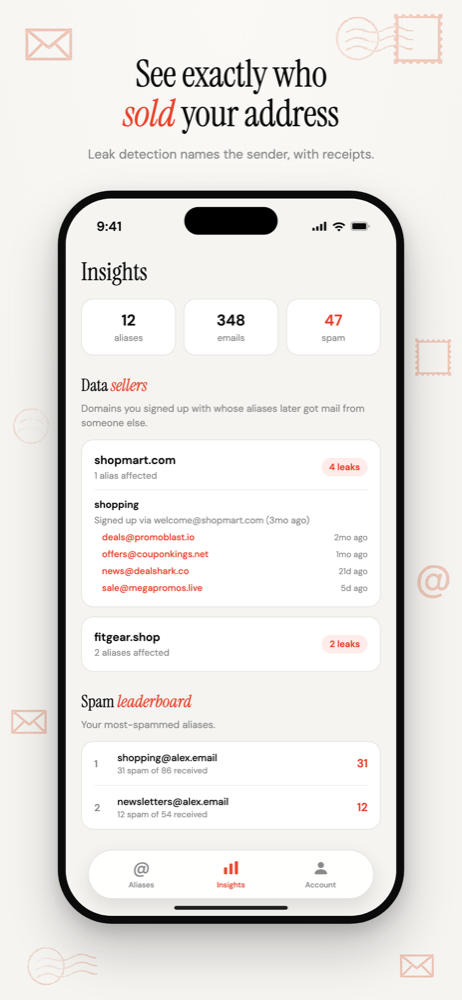
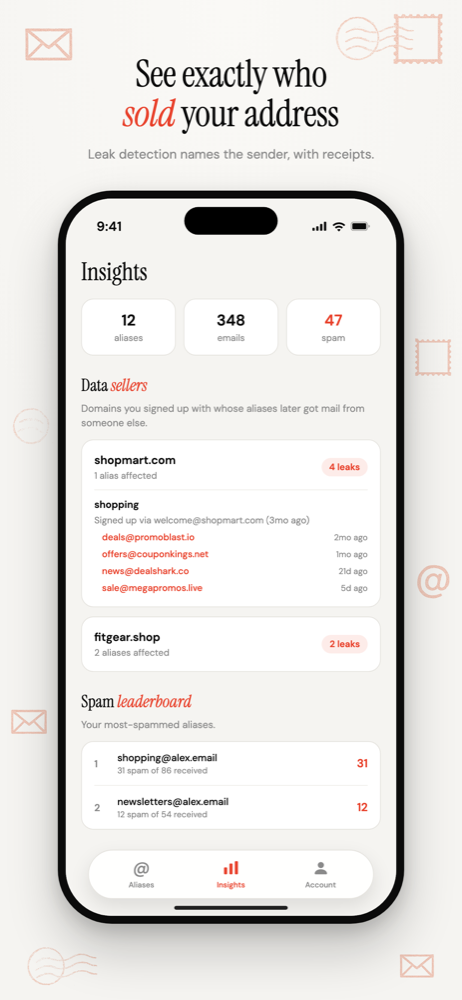
When a sender you never signed up with writes to shopmart@yourdomain.com, you get an alert naming the company that address was given to.
No guessing and no breach lookups. The address is the evidence.
Free software. You bring a domain you own, or register one during setup.
The address names the company
Every company you sign up with gets its own address: shopmart@yourdomain.com, airline@yourdomain.com, gym@yourdomain.com.
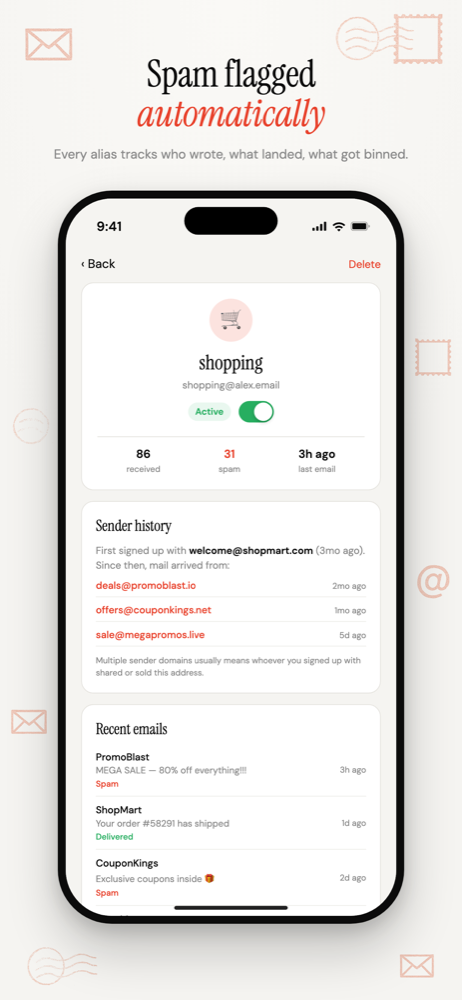
Each alias remembers who wrote to it first. That's the company you gave it to.
When a different sender turns up on the same alias, you get an email alert naming both: who you signed up with, and who they passed you to.
What counts as a leak
A leak is a new sender domain on an alias that already had a different one. Some mail looks new but isn't, so it doesn't count:
- The same company on another subdomain.
email.store.comandorders.store.comare treated as one sender. - Trusted transactional senders. Payment processors, shop platforms and couriers are built in, so a shipping notice is not an alert.
- Anything you mark "Not a leak". One tap adds the sender to your own trusted list.
A running list of who shared your address
The Data Sellers list ranks every company whose alias later got mail from someone else, with how many of your aliases each one affected.
A leak is not always a sale. It can be a breach, a marketing partner, or a vendor with poor controls. The list shows you that the address moved. What you do about it is your call.
Then switch that address off
Disable the alias and every sender gets a hard rejection instead of a silent drop. Blocked attempts are still logged, so you can see who kept trying.
Your other addresses are untouched. Only the one company that leaked loses its way in.
Why not the Gmail plus trick?
Adding +shopmart to a Gmail address works until someone strips it. The part after the plus is easy to remove, and the real address underneath is still the one that gets spam.
An alias on your own domain has no real address behind it to fall back to. How plus addressing fails · Other ways to trace a leak
Common questions
- Can I find out who sold my email address if I've used one address everywhere?
- Not retroactively. If every company had the same address, nothing in the email says which one shared it. Aliases work from the day you start using them. For past exposure, a breach lookup such as Have I Been Pwned shows which known breaches included your address.
- Does a leak alert mean the company sold my address?
- Not necessarily. The alert means a different sender wrote to an address only one company was given. That can be a sale, a breach, a marketing partner or a careless vendor. The alert tells you where the address went; deciding why is up to you.
- Do emails from a company's other domains trigger a false alert?
- Subdomains of the same company count as one sender, and common payment processors, shop platforms and couriers are trusted by default. If a legitimate sender still triggers an alert, mark it as not a leak and it is ignored from then on.
Track Which Company Leaked Your Email
One address per company, so the address that gets spam names the company that shared it.
Free software. You bring a domain you own, or register one during setup.
More ways to use Don't SPAM Me
- Email Aliases for Online ShoppingOne address per shop. Receipts keep working, and the marketing switches off one store at a time.
- Email Aliases for FamiliesOne household domain, a separate address for every account, each routed to whoever needs it.
- Auto-Create Email Aliases as You Sign UpType any address at your domain into a form. It exists the moment the first email arrives.
- Email Aliases on Your Own DomainUnlimited aliases on a domain that belongs to you, not to the alias service.