Email Alias App for iPhone
Don't SPAM Me is an email alias app for iPhone that puts every alias on your own domain within reach.
Switch an address off in one tap, see which company leaked it, and route each alias to the inbox you choose.
New aliases appear on their own the first time they receive mail.
Free on the App Store. Requires iOS 16.4 or later and a domain you own or register.
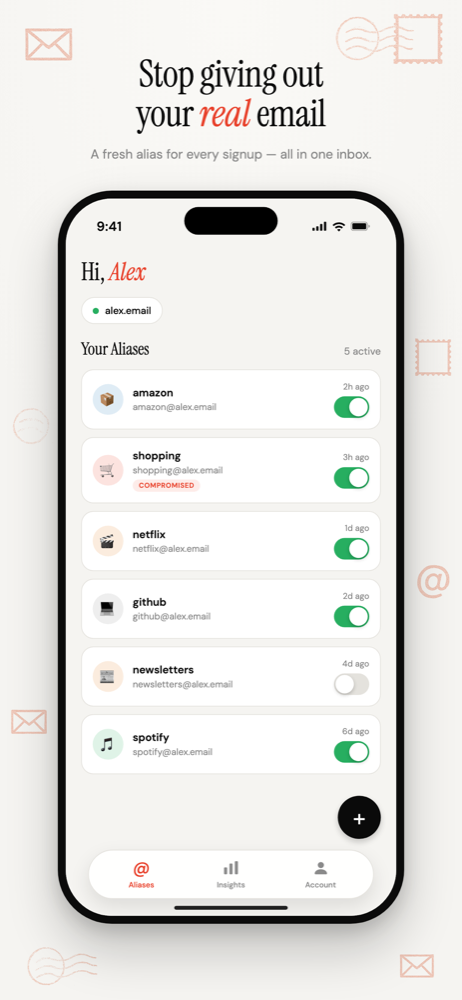
Every alias in your pocket
Your aliases are listed with a switch beside each one. Tap it and that address stops accepting mail. Tap again and it's back.
Signed up somewhere new? The alias appears in the list as soon as its first email arrives. You don't have to open the app first.
Swipe left on an alias to delete it.
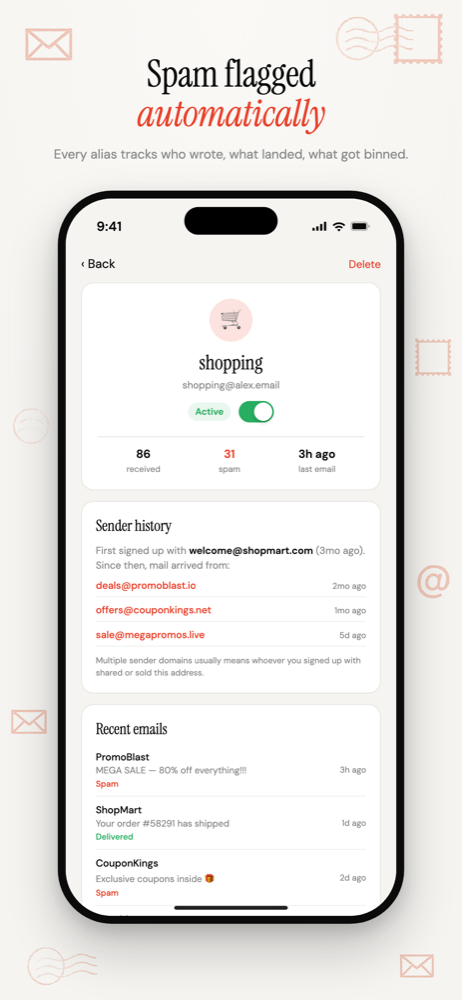
See who leaked your address
Open any alias to see who has written to it, in order. The first sender is the company you signed up with. Anyone after that got your address from them.
The Insights tab ranks those companies in a Data Sellers list and shows which aliases collect the most spam.
If a sender is legitimate, tap "Not a leak" and it's trusted from then on.
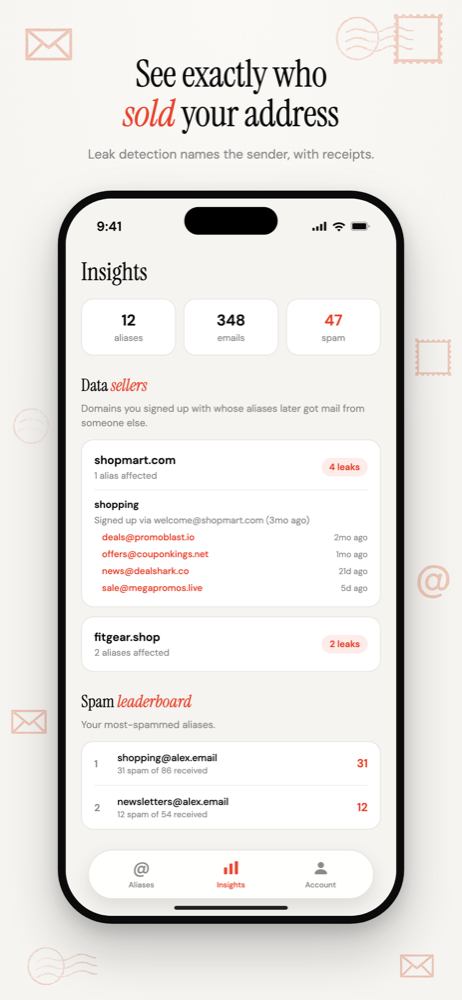
Manage forwarding and domains too
- Forwarding addresses: add an inbox, verify it, make it your main one, or route a single alias to it.
- Domains: connect a domain, see which DNS records still need fixing, and copy them in one tap.
- Trusted senders: review the companies you've marked as safe.
- Notifications: choose which alerts you get by email.
What you need
An iPhone on iOS 16.4 or later, and a domain. Aliases live on a domain you control, so connect one you already own or register one at dontspamme.app.
The app and the website share one account. Anything you change on one shows up on the other. Why aliases live on your own domain
Common questions
- Is the iPhone app free?
- Yes. The app is free on the App Store and uses the same account as the website. The only cost is a domain, which you can connect if you already own one or register through dontspamme.app.
- How is this different from Apple's Hide My Email?
- Hide My Email creates random addresses on an Apple domain and needs an iCloud+ subscription. Don't SPAM Me puts readable aliases on a domain you own, creates them automatically on first email, and tells you which company leaked an address.
Email Alias App for iPhone
Switch aliases on and off, see who leaked your address, and manage forwarding from your iPhone.
Free on the App Store. Requires iOS 16.4 or later and a domain you own or register.
More ways to use Don't SPAM Me
- Email Aliases for Online ShoppingOne address per shop. Receipts keep working, and the marketing switches off one store at a time.
- Email Aliases for NewslettersOne address per publisher. Filter them into a folder, and switch off any that pass you on.
- Email Aliases for Free TrialsOne address per trial. The renewal reminder reaches you, and the win-back emails stop when you're done.
- Email Alias for Job ApplicationsOne address for the search, one per agency, and the recruiter mail switches off when you're hired.
- Email Aliases for FamiliesOne household domain, a separate address for every account, each routed to whoever needs it.
- Track Which Company Leaked Your EmailOne address per company, so the address that gets spam names the company that shared it.
- Auto-Create Email Aliases as You Sign UpType any address at your domain into a form. It exists the moment the first email arrives.
- Email Aliases on Your Own DomainUnlimited aliases on a domain that belongs to you, not to the alias service.