Email Aliases for Free Trials
Email aliases for free trials give each trial its own address on a domain you own.
The "your trial ends in three days" reminder still reaches you, unlike with a throwaway inbox.
Once you've cancelled, switch the alias off and the win-back emails go nowhere.
Free software. You bring a domain you own, or register one during setup.
Why not a throwaway address?
A trial needs to reach you twice: once for the confirmation, and again for the "your trial ends in three days" reminder.
That reminder decides whether you get charged. A temporary inbox is gone by then, and so is the password reset you'd need to cancel.
An alias keeps working for as long as you want it, then stops when you say so. Alias vs disposable email
The setup
- One alias per trial, named after the service:
adobe-trial@yourdomain.com. - Keep it live for the whole trial. You need the reminders.
- Set your own reminder two days before it ends. Some services send theirs late, or only once.
- Cancel through the account. Cancelling is what stops the charge.
- Then disable the alias. The win-back emails that follow land nowhere.
Disabling an alias won't cancel a subscription
Billing and email are separate. Your card is charged whether or not their emails reach you.
The alias makes sure you see the reminder in time, and lets you shut the marketing off afterwards. Cancelling is still up to you.
Not for repeat trials
Using fresh addresses to take the same free trial again usually breaks the service's terms, and many services catch it by card or device anyway.
Aliases are for controlling who can reach you. What disabling an alias actually does
Common questions
- Why not use a temporary email address for a free trial?
- A temporary inbox usually expires before the trial does, so the renewal reminder never reaches you, and neither does the password reset you need to log in and cancel. An alias keeps receiving mail until you choose to switch it off.
- Does disabling the alias cancel the trial?
- No. Billing and email are separate systems, so a card is charged whether or not the service's emails reach you. Cancel through your account first, confirm it, then disable the alias to stop the marketing that follows.
Email Aliases for Free Trials
One address per trial. The renewal reminder reaches you, and the win-back emails stop when you're done.
Free software. You bring a domain you own, or register one during setup.
More ways to use Don't SPAM Me
- Email Aliases for Online ShoppingOne address per shop. Receipts keep working, and the marketing switches off one store at a time.
- Email Aliases for NewslettersOne address per publisher. Filter them into a folder, and switch off any that pass you on.
- Email Alias for Job ApplicationsOne address for the search, one per agency, and the recruiter mail switches off when you're hired.
- Email Aliases for FamiliesOne household domain, a separate address for every account, each routed to whoever needs it.
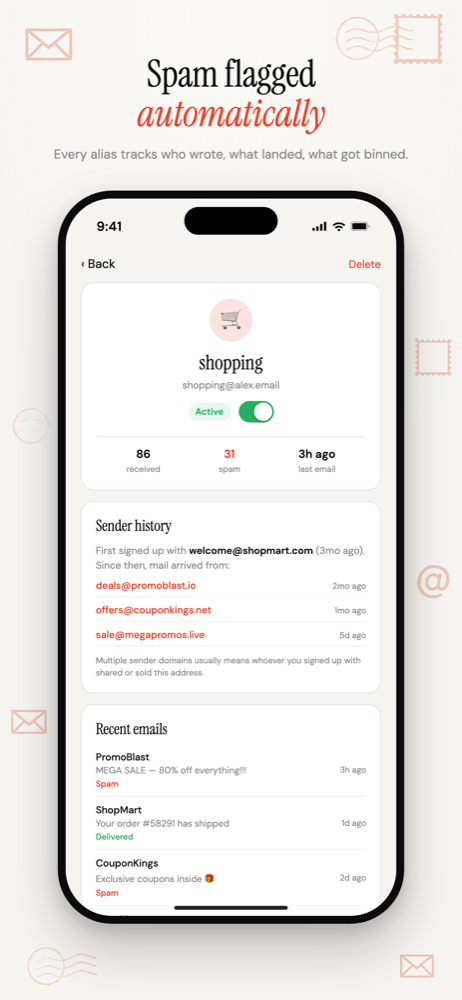
- Track Which Company Leaked Your EmailOne address per company, so the address that gets spam names the company that shared it.
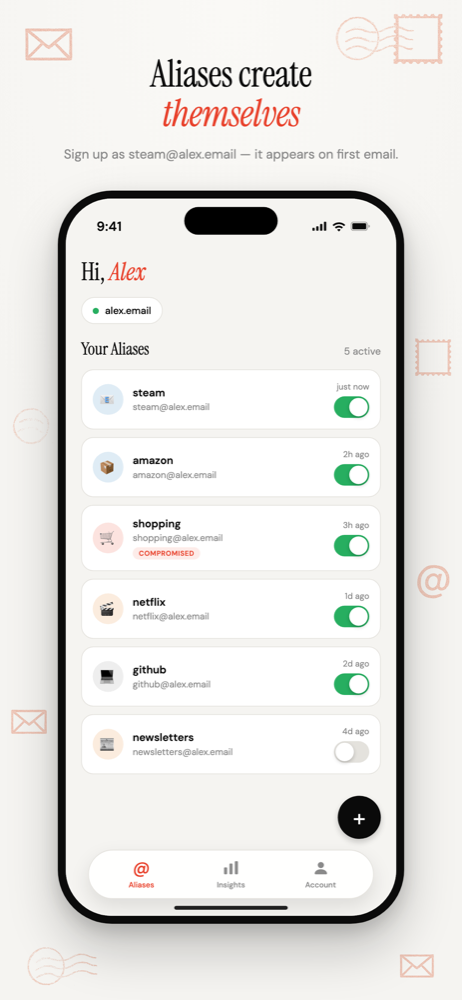
- Auto-Create Email Aliases as You Sign UpType any address at your domain into a form. It exists the moment the first email arrives.
- Email Aliases on Your Own DomainUnlimited aliases on a domain that belongs to you, not to the alias service.
- Email Alias App for iPhoneSwitch aliases on and off, see who leaked your address, and manage forwarding from your iPhone.