Email Aliases for Newsletters
Email aliases for newsletters give every publisher its own address on a domain you own.
Filter them all into a reading folder and they never touch your inbox.
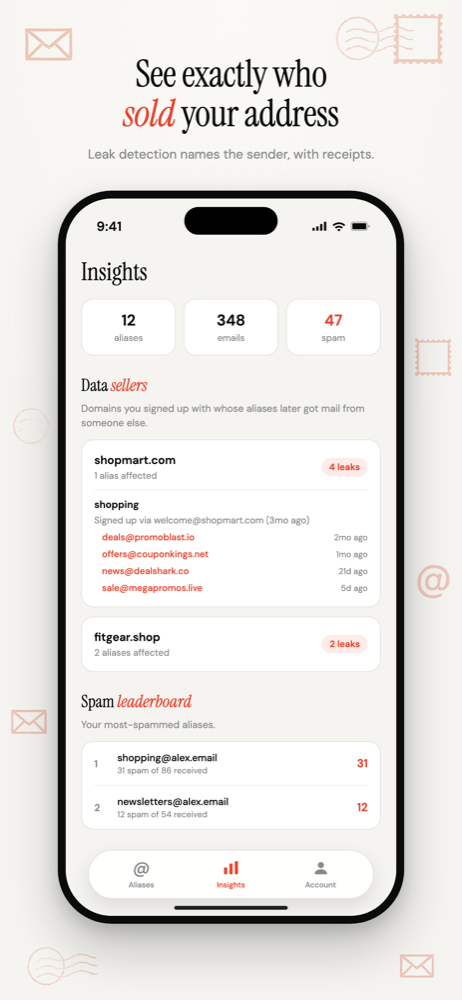
If a publisher passes your address on, you'll know which one, and you can switch it off without an unsubscribe form.
Free software. You bring a domain you own, or register one during setup.
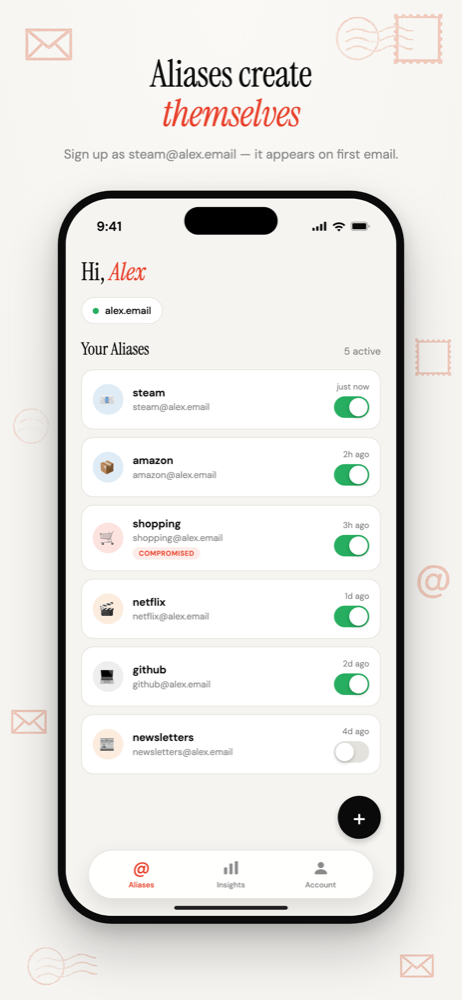
One address per publisher
Subscribe as morningbrew@yourdomain.com, not newsletters@yourdomain.com.
A single shared address works for filtering, but when marketing mail starts arriving you can't tell which of twenty subscriptions passed you on. Separate addresses cost nothing: you just type a different word before the @.
Read on your schedule
Every forwarded email carries a header naming the alias it was sent to. Point a filter at it and newsletters go straight to a reading folder instead of your inbox.
Done with one? Switch it off
No unsubscribe form, no "are you sure", no confirmation email. Disable the alias and that publisher can't reach you.
For a newsletter you like that just sends too often, unsubscribe properly instead. It's legally backed and tells them something useful. Does unsubscribing actually work?
The easiest place to start
Nothing depends on a newsletter address. No password reset, no delivery notice, no refund. If you disable one by mistake, you miss a newsletter.
One exception: a paid publication where the address is also your login. Treat that one like an account and keep it live while you subscribe.
Common questions
- Should I use one address for all my newsletters?
- It works for filtering, but you lose the main benefit. When marketing mail starts arriving at a shared newsletter address, you can't tell which subscription passed you on. One address per publisher keeps that answer, and costs nothing extra with a catch-all domain.
- Is disabling an alias better than unsubscribing?
- For a publisher you're done with or one that shared your address, disabling is immediate and needs no form. For a newsletter you like that simply sends too often, unsubscribe properly: it is legally backed and tells the publisher something useful.
Email Aliases for Newsletters
One address per publisher. Filter them into a folder, and switch off any that pass you on.
Free software. You bring a domain you own, or register one during setup.
More ways to use Don't SPAM Me
- Email Aliases for Online ShoppingOne address per shop. Receipts keep working, and the marketing switches off one store at a time.
- Email Aliases for Free TrialsOne address per trial. The renewal reminder reaches you, and the win-back emails stop when you're done.
- Email Alias for Job ApplicationsOne address for the search, one per agency, and the recruiter mail switches off when you're hired.
- Email Aliases for FamiliesOne household domain, a separate address for every account, each routed to whoever needs it.
- Track Which Company Leaked Your EmailOne address per company, so the address that gets spam names the company that shared it.
- Auto-Create Email Aliases as You Sign UpType any address at your domain into a form. It exists the moment the first email arrives.
- Email Aliases on Your Own DomainUnlimited aliases on a domain that belongs to you, not to the alias service.
- Email Alias App for iPhoneSwitch aliases on and off, see who leaked your address, and manage forwarding from your iPhone.